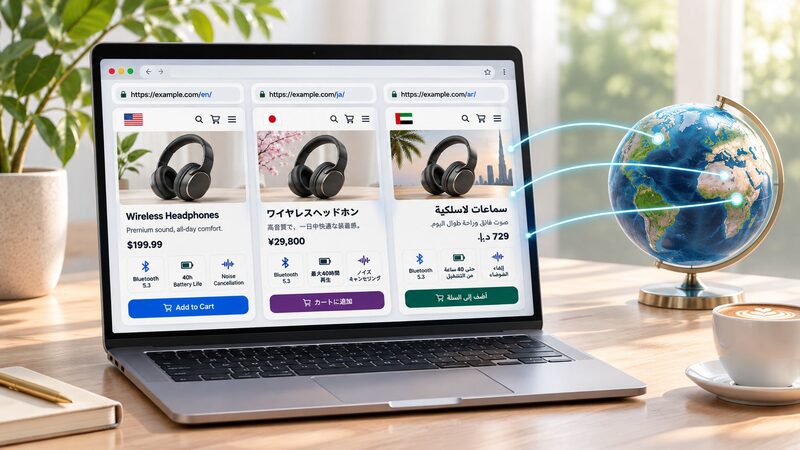
A large-scale study cited in Space Mon's international SEO coverage found that 67% of 374,756 domains had at least one hreflang issue. Two out of three sites that tried to tell search engines which language version to serve got part of the signal wrong. That reframes multilingual website SEO: the hard part isn't adding a tag once, it's keeping a set of signals consistent while catalogues, campaigns and markets keep changing.
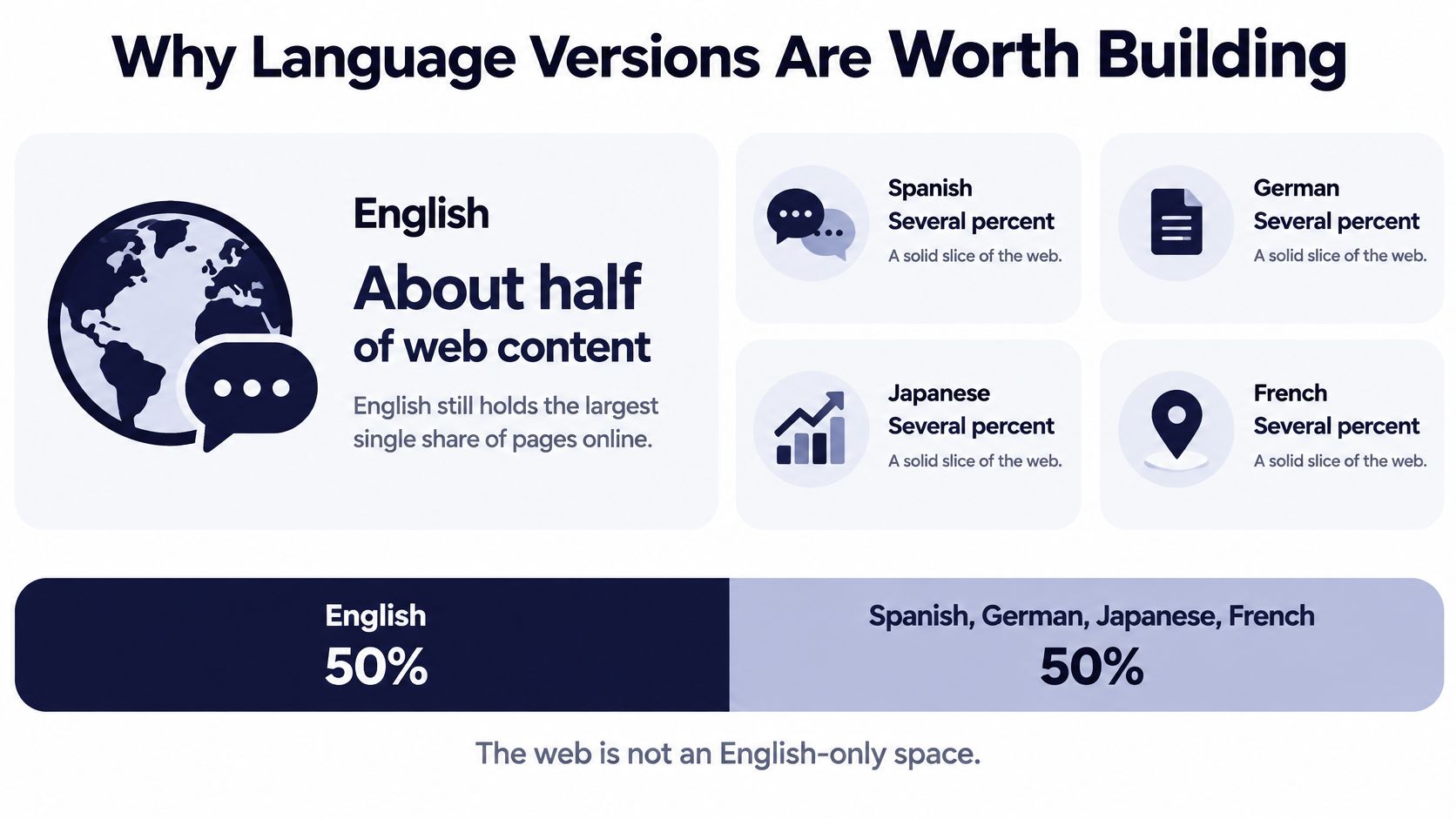
The opportunity is real, though. Among websites whose content language can be identified, W3Techs' content language overview puts English at approximately 49.2% of web content, with Spanish at 6.0%, German at 5.8%, Japanese at 5.1% and French at 4.5%. Read those figures for what they measure, the natural language of website text, not internet users and not search volume. They're a benchmark for prioritization, not a forecast of traffic.
Table of Contents
- Why Language Versions Are Worth Building
- Choose a URL Structure for Each Language
- Choose Between Language and Language-Region Targeting
- Set Up Hreflang and Keep It Correct
- Localize Keywords, Content and Market Details
- Measure Each Locale Separately
- Confirm the Setup Before Adding Another Language
Why Language Versions Are Worth Building
A language version is worth building when the market behind that language can be served properly. Opening a shop counter in another district shows why: a translated sign helps, but customers still need the right products, a clear price, delivery terms and someone who can answer questions. Search engines and shoppers both notice when those parts are missing.
No single non-English language dominates the web, so an English-only catalogue leaves demand uncovered across several major language markets at once. The case for prioritization is practical, not abstract. Spanish, German, Japanese and French each represent a meaningful slice of website content, and their combined presence is far larger than any one of them alone.
The return case is encouraging too. Search Engine Land's international SEO best practices guide reports that 96% of marketers surveyed by DeepL in 2024 said localization delivered positive return on investment. Treat that as a reason to test seriously, not as a guarantee for every market. Localization pays off when the page and the offer both fit the visitor.
Search wording also diverges more than teams expect. A parent looking for a name that reads naturally in two languages may use a bilingual baby name search instead of translating an English list, because the two languages do not share the same shortlist. Product queries work the same way. A direct translation can miss the words shoppers use, the comparisons they make and the objections they need answered.
That is why the decision is less about which languages exist and more about which markets you can serve fully. A language version earns its place when you can supply localized pages, prices in the shopper's currency, delivery terms, returns handling and support. Browsing multilingual website examples helps here, because you can see which brands committed to a market and which shipped only a translated shell.
Practical rule: build the version when you can serve the market end to end. If shipping, inventory or legal content isn't ready, keep that market on your roadmap and prepare it rather than publishing a thin variant to expand indexation.
Choose a URL Structure for Each Language
| Structure | Example | Strength | Main cost |
|---|---|---|---|
| Country-code domain | example.de | Strongest geographic signal | Separate domain and authority for each market |
| Subdomain | de.example.com | Clean separation and hosting | Authority is less clearly shared with the main domain |
| Subdirectory | example.com/de/ | Shares main domain authority and is simplest to run | Needs consistent language paths and matching hreflang codes |
| URL parameter | example.com/?lang=de | Quick to add to an existing site | Hard to keep each language version distinct and crawlable |
The rule underneath the table comes from Google's guidance on managing multi-regional and multilingual sites: use different URLs for each language rather than switching page language through cookies or browser settings, then connect those URLs with hreflang annotations or equivalent sitemap signals. Google accepts the declarations in HTML link elements, HTTP headers or XML sitemaps, so the pattern works for a small brochure site and a large publishing system alike.
What each pattern costs you
A country-code domain sends the clearest geographic signal, and you pay for it with a separate domain, separate link building and separate authority in every market. Subdomains let you split hosting and teams cleanly, but they share authority with the main domain less predictably, which matters when your German pages need the trust your English pages already earned.
Subdirectories keep everything on one domain, one analytics property and one deployment, which is why starting there is often the sensible choice. Parameters are the last resort: they're fast to bolt on, and they make it hard to keep each version distinct, crawlable and independently optimizable.
A worked path example
Say a store runs English, German and French at example.com/en/, example.com/de/ and example.com/fr/. Those path segments must match the codes you later declare in hreflang, en, de and fr, or you'll spend months debugging a mismatch you created yourself. Keep the segment stable across the whole catalogue, including blog posts and category pages.
A community organisation teaching German in an English-speaking city serves exactly this kind of split audience, like the classes for kids and adults offered by the German Cultural Association in Hong Kong. One brand, two language audiences, no need for two domains.
Pick subdirectories for one brand serving several languages. Choose a country-code domain when the market is a separate legal entity with its own pricing, terms and marketing team.
Choose Between Language and Language-Region Targeting
Match the tag to the market, not to a list of countries you'd like to sell in. Four cases cover most catalogues.
- One page for all Spanish speakers. Tag it
es, state prices in one currency and note where you ship. This works when your offer doesn't change between Madrid and Mexico City. - Separate Mexico and Spain pages. Use
es-MXandes-ESwhen prices, size systems and delivery promises differ. Two pages, two sets of buying conditions, two tags. - A language page plus one override. Publish
defor German speakers generally, then add a singlede-ATpage because Austrian returns terms differ. You don't needde-CHandde-LUunless something material changes there too. - English with selective variants. Tag the main page
enand create regional variants only where content diverges, such as a warranty statement or a tax note.
Three things break targeting. A region on its own, like CA, isn't a valid language value. Near-duplicate country pages carrying identical content give search engines nothing to choose between. And dozens of thin variants built to capture indexation dilute the pages that could rank.
Designate one fallback page as x-default for visitors whose language has no version. Never auto-redirect by IP address: a German speaker browsing from a hotel in Lisbon still wants German. Offer a crawlable language switcher with real links, plus a dismissible suggestion banner, and let the visitor decide.
If two variants show the same prices, delivery and legal terms, publish one language-only version and skip the regional tag.
Set Up Hreflang and Keep It Correct
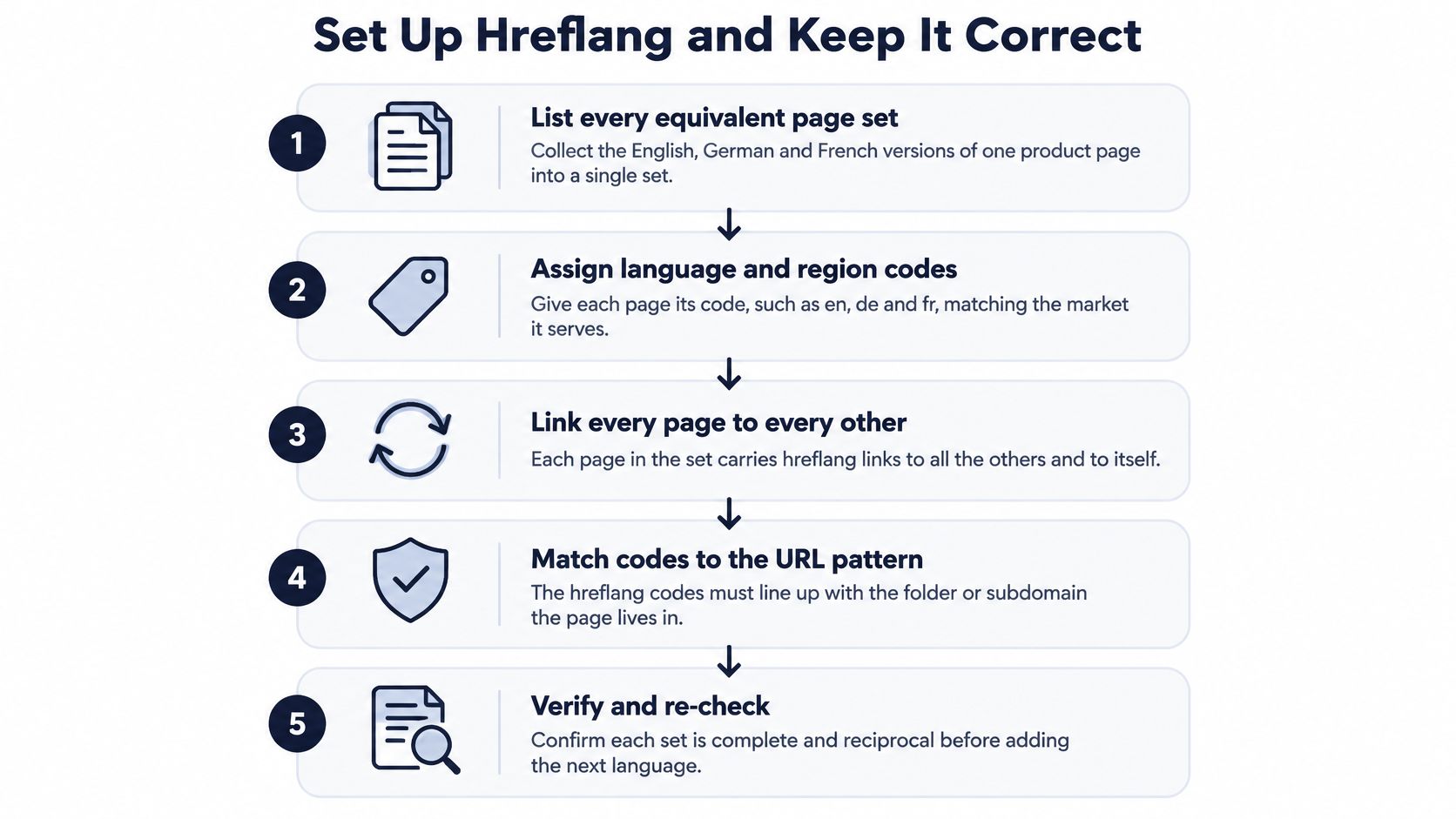
Hreflang works like a routing map for localized pages. It tells search engines which version fits a language and region, so a German page is matched with German searchers and a French page with French searchers. Google's localized versions documentation requires each version to have its own crawlable URL and equivalent URLs to be connected with reciprocal annotations. The practical point: manage a set of linked pages, not isolated tags.
Six setup steps
- List every equivalent page set first. Group the English, German and French versions of one product page into a single cluster before writing a tag. Clusters, not isolated pages, are the unit you manage.
- Use valid ISO codes. Use
frfor French andfr-CAfor Canadian French. A region alone is invalid. WritingCAas a language is the common slip, since CA is also a country code people copy from a market list. - Add the complete alternate set to every page in the cluster, including the page itself. Generate it in HTML link elements, HTTP headers or an XML sitemap, then choose one method per site so your team isn't reconciling two sources of truth.
- Check reciprocity. If the English page points to the German page, the German page must point back. Without that return link, search engines may ignore the annotation.
- Keep each localized page self-canonical unless you've deliberately decided to consolidate. Never point every language version at one default page, because that cancels the localization work.
- Publish a reusable sample for one product so the pattern can be applied across the catalogue by whoever builds the next template.
For a running shoe sold in three languages, the set on each of the three pages looks like this:
<link rel="alternate" hreflang="en" href="https://example.com/en/shoes/runner/" /><link rel="alternate" hreflang="de" href="https://example.com/de/schuhe/runner/" /><link rel="alternate" hreflang="fr" href="https://example.com/fr/chaussures/runner/" /><link rel="alternate" hreflang="x-default" href="https://example.com/en/shoes/runner/" />
Notice that the translated URL slugs differ while the cluster stays intact. That's fine, as long as every page carries all four lines. The x-default line is the safety net for visitors whose language has no exact match.
The errors that show up at scale
Hreflang usually fails through maintenance, not exotic syntax. A product gets renamed, a URL redirects, a market page is unpublished, and nobody rechecks the cluster. The same pattern repeats across catalogues because each market team sees its own page, while the annotation set spans several teams.
| Hreflang issue | Typical failure point | Fix |
|---|---|---|
| Missing self-referencing tags | A page lists other languages but omits its own | Add the page's own language-region tag to its set |
| References to redirected or broken pages | A product URL changes after launch | Point each tag at the live final URL |
| Missing return links | One localized page is added without updating its alternates | Make every alternate point back to the source page |
Governance matters. A tag set is correct only while every URL in it remains live, indexable and willing to point back. Treat the cluster like a shared address book: if one household moves, every entry that leads to it must be updated.
A routine that keeps the tags valid
Run reciprocal-link validation before publication, so a new locale can't go live pointing at pages that don't point back. Crawl each language cluster on a schedule and audit return links, canonical targets, status codes and indexability together, because a valid tag pointing at a noindexed page is still a broken signal.
Reconcile sitemaps after every catalogue change. When one localized page is unpublished, remove that URL from every cluster that references it rather than leaving a link to a dead page, then re-add it when the translation returns.
Owner rule: any change to one language version triggers a check of the whole cluster. Assign that responsibility to a named person, not to "the SEO team".
And know when not to create a localized URL at all. A market without inventory, shipping support, legal content or localized copy doesn't need a page yet. That decision keeps hreflang meaningful: every tag should point to a page that serves that locale, not just a translated shell waiting for a market to catch up.
Localize Keywords, Content and Market Details
Two shoppers search for the same running shoe on the same afternoon. One is in Mexico City, one is in Madrid. They type different words, expect different sizes, read different delivery promises and have different rights if the shoe doesn't fit. A translated page works like a copied label on the wrong box. It shows the product, but it misses the buying conditions. That is why localization needs separate keyword decisions, market details and page-level promises.

Start with the words people actually type
Run keyword research per market in Keyword Planner, Ahrefs or Semrush with the target country and language set. Translating an English keyword list and checking volume for the translated phrases misses local category terms, spelling variants and the brand names shoppers use in that market. An in-market speaker should review the shortlist, because two phrases with similar volume can carry different intent. A query for a "zapatilla" and one for a "running shoe" may sit in the same category, yet signal different levels of product knowledge and buying readiness.
Teams often confuse translation with targeting. Translation changes the words on the page. Targeting decides which market the page is built for, and that decision should follow real differences in price, delivery, tax and legal terms. If those conditions do not change, a language version may be enough. If they do change, the locale needs its own content and market details.
Then fix the buying conditions
The Mexican shopper needs peso pricing, local sizing conventions and a delivery estimate that matches the carrier you use. The Spanish shopper needs euro pricing and EU consumer terms. If you sell across several European markets, the operational side of selling across Europe shapes what each page can promise, especially where tax and delivery rules affect the final price. Write the page around the purchase as the shopper will experience it, not around the catalogue as your team organises it internally.
Legal content diverges too. Withdrawal periods, mandatory notices and warranty statements are market-specific. A translated copy of another country's terms creates confusion because it promises rights or procedures that may not apply. Write those terms per market and have them reviewed before the page carries a buying message.
Metadata belongs to the locale
Titles, meta descriptions and image alt text need writing for each language, not inheriting from a shared template. Titles run longer in German than in English, so check truncation in the SERP preview rather than assuming the English length holds. Alt text should describe the product in the language of the page, using the same category terms chosen in keyword research. This keeps the page coherent from search result to image context to checkout.
If you also run physical locations or showrooms, keep names, addresses and phone numbers identical across directories in every language. A Spanish-language directory listing a slightly different address from your English one can weaken trust before the visitor reaches the site. Services that fix inconsistent NAP listings can support that cleanup, but the underlying rule is consistency everywhere the business details appear.
Localize the pages that carry a sale or a legal promise first: product pages, checkout, delivery and returns. Errors there cost the most because they affect the decision, not just the reading experience. Skip the localized URL entirely where you've no shipping support, no inventory, no legal content or no localized copy.
Measure Each Locale Separately
Blended site metrics hide everything you need to know about a language version. Segment first, then read the numbers together.
| Metric | What it reveals | Where to check |
|---|---|---|
| Impressions and clicks | Demand and visibility in each market | Search Console, filtered by country |
| Indexed-page share | How many localized URLs search engines keep | Search Console indexing reports and sitemap reports |
| Branded vs non-branded queries | Whether a locale attracts new demand or only brand searches | Search Console query report, grouped by market |
| Conversion rate and assisted revenue | Whether the locale earns money | Analytics, segmented by language path |
| AI answer mentions | Whether assistants cite the locale page | Manual prompt sampling in each language |
| User-language mismatches | Visitors who land on a page in a language they didn't expect | Analytics and on-page language switch logs |
A locale with healthy impressions but a low indexed-page share has a technical problem, usually canonicals, redirects or cluster gaps. A locale with clicks and no conversions usually has a localization problem: wrong currency, vague delivery, unfamiliar returns terms. Only branded queries means the market knows your name but hasn't found you for what you sell. Set up per-locale segments before launch, not after, using something like CIQRA's analytics so each language path reports on its own.
What the AI search evidence does and doesn't support
A multilingual search test reported by Auspia's multilingual SEO analysis found that Google and Bing generally selected the appropriate language when hreflang was implemented, while AI Overviews, AI Mode, ChatGPT and other assistants were inconsistent. The test was small and shouldn't be generalized.
The same analysis reported 327% greater Google AI Overview visibility for websites with translated content than for single-language sites, with limited methodological detail available. Don't use that as a benchmark or a business case.
What you can do is sample prompts in each language every month, log which page gets cited or mentioned, and record when an assistant answers in the wrong language or cites your English page for a German query. That's your own evidence, and it's more useful than someone else's headline number.
Close each month with one page per locale and one decision per metric. Fix, expand or hold.
Confirm the Setup Before Adding Another Language
Adding a language multiplies every mistake you haven't fixed yet. Run this checklist before the next locale goes live.
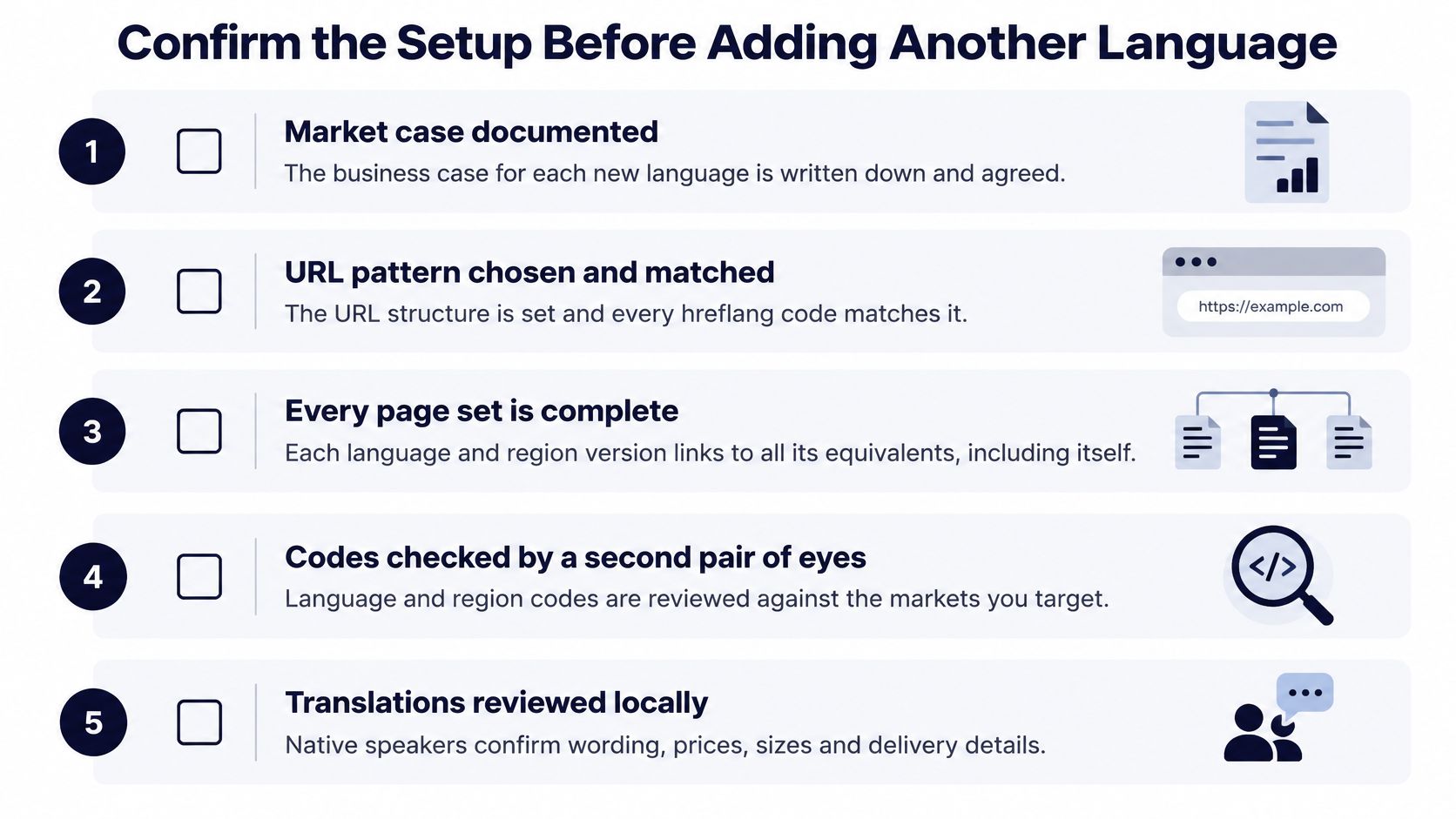
- Market case documented. Someone has written down why this language earns a version now.
- URL pattern chosen and matched. Every hreflang code lines up with the folder or domain the page lives in.
- Every alternate set complete. Reciprocal, self-referencing, pointing at live final URLs.
- Metadata written per locale. Titles, descriptions and alt text reviewed by a native speaker.
- Buying conditions localized. Prices, currency, delivery and returns match what you can deliver.
- Old URLs covered. A redirect import maps previous URLs into the new language, and someone watches the broken-link log after launch.
- Measurement segmented. Each locale reports separately from day one.
Platform features decide how much of this you can maintain. In our Selling internationally area, the 6 features cover translated pages and URLs, prices in the shopper's currency, and tax that follows the border. Each language has its own translation screen, so each language can be edited on its own by its own people, and old links can be kept working through bulk redirect import while a 404 log shows every broken link. Check any platform's claims against your own requirements rather than accepting them on trust.
Run the checklist on one pilot locale, watch it for a full reporting cycle, then roll out the rest.
Multilingual selling works when the content, the currency and the technical signals stay in step, which is exactly what we built CIQRA to handle: translated pages and URLs, per-language translation screens, language-specific sitemaps, bulk redirects and a broken-link log you can act on. If you're planning your next language version and want the hreflang and localization work to live in one admin instead of three systems, take a look at CIQRA and start with a single pilot locale.